
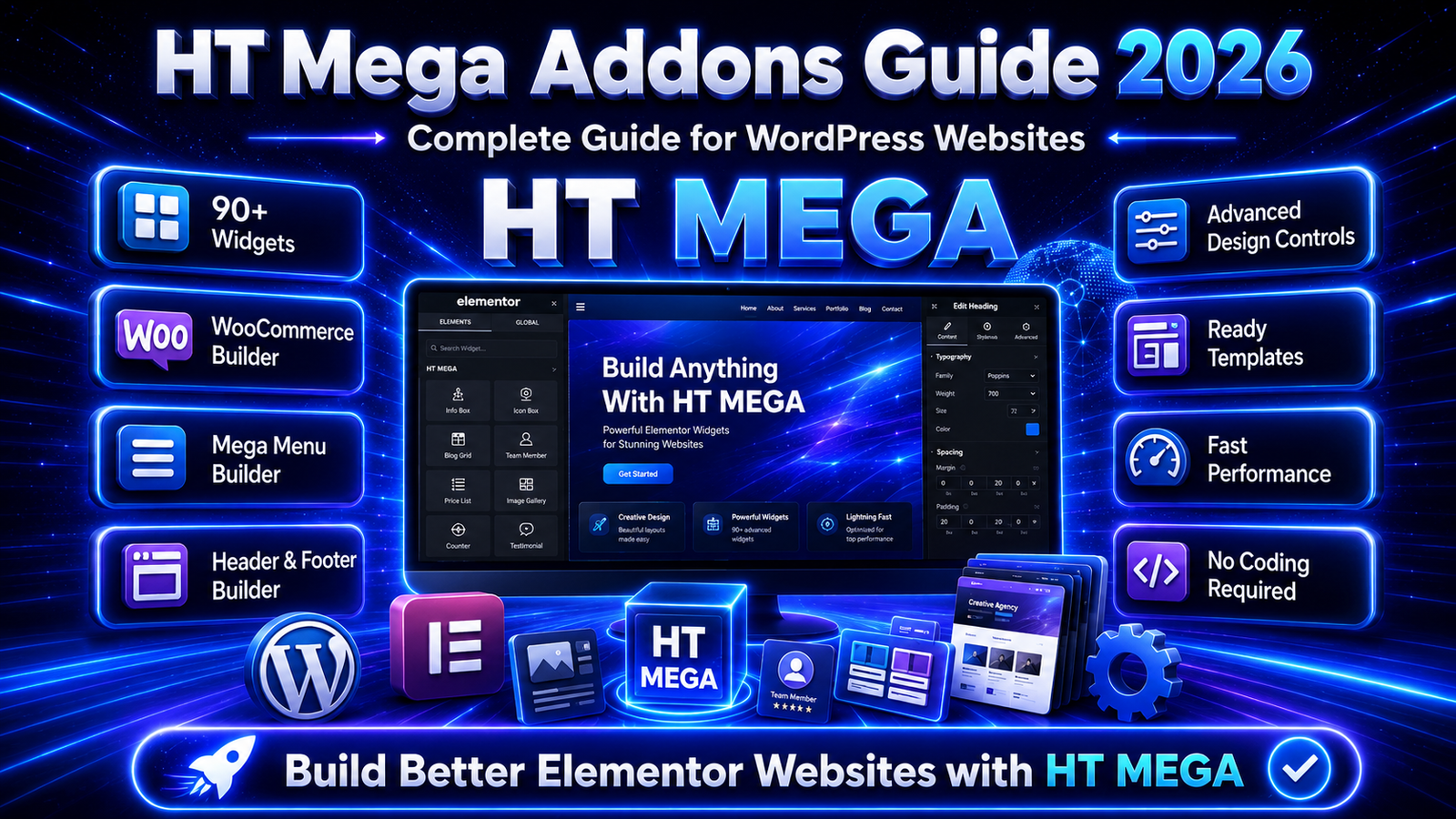
Choosing the right Elementor addon can make website design faster, easier, and more flexible.
Elementor already provides many useful tools for creating WordPress websites, but sometimes designers, developers, agencies, and business owners need additional widgets, templates, WooCommerce elements, theme-building options, and advanced design features.
This is where HT Mega Addons for Elementor becomes useful.
HT Mega is an Elementor addon plugin that extends Elementor with additional widgets, ready-made blocks, page templates, WooCommerce elements, and advanced modules. The official HT Mega website currently lists 145+ Elementor widgets, 850+ ready blocks, 245+ page templates, and 14+ modules.
It can be useful for business websites, portfolio websites, blogs, landing pages, WooCommerce stores, agency websites, service websites, and many other types of WordPress websites.
What Is HT Mega Addons for Elementor?
HT Mega Addons for Elementor is a WordPress plugin designed to extend the functionality of the Elementor page builder.
It provides additional widgets, templates, blocks, and website-building modules that help users create more advanced layouts without having to write everything with custom code.
HT Mega includes tools for:
WordPress websites
Business websites
Portfolio websites
Landing pages
Service websites
Agency websites
WooCommerce stores
Blogs
Marketing websites
Creative websites
Professional brand websites
The plugin works with Elementor’s visual page-building workflow, allowing users to add and customize different elements directly from the Elementor editor. WordPress.org describes HT Mega as an Elementor-powered addon and confirms that Elementor is required to use it.
Why HT Mega Addons Is Useful
HT Mega Addons is useful because it adds more design and functionality options to Elementor.
Elementor provides many standard widgets, but more complex websites may require additional features such as advanced sliders, post layouts, pricing sections, testimonials, WooCommerce elements, mega menus, custom theme layouts, animations, and other interactive sections.
HT Mega helps bring many of these tools into one Elementor-based workflow.
It can help you:
Add more Elementor widgets
Create modern website sections
Use ready-made blocks
Import page templates
Design custom theme layouts
Create mega menus
Build WooCommerce sections
Add interactive elements
Create content with AI tools
Build websites with less custom coding
Save website development time
This makes HT Mega useful for beginners, freelancers, WordPress developers, agencies, online stores, and business owners.
Explore HT Mega Addons Features
HT Mega includes a large collection of Elementor widgets, templates, modules, WooCommerce elements, and website-building tools.
The official HT Mega website currently highlights:
145+ Elementor widgets
850+ ready blocks
245+ page templates
14+ modules
These features are designed to help Elementor users create complete WordPress websites using a visual workflow.
Elementor Widgets
One of the main features of HT Mega Addons is its Elementor widget collection.
Widgets are individual website elements that can be dragged into an Elementor page.
They can be used to create sections such as:
Headings
Buttons
Cards
Sliders
Pricing sections
Testimonials
Blog layouts
Forms
Tables
Team sections
Image sections
Content blocks
Social elements
WooCommerce sections
The current HT Mega website lists more than 145 Elementor widgets across general, creative, post, theme-building, form, social, and other categories.
A larger widget collection gives designers more options when creating websites without needing a separate plugin for every individual design element.
Easy Drag-and-Drop Website Design
HT Mega works with Elementor’s visual drag-and-drop editor.
Users can place widgets on a page and then customize their content, typography, spacing, images, colors, backgrounds, borders, and other design settings.
WordPress.org states that HT Mega’s widgets and templates can be used through Elementor’s drag-and-drop interface without requiring coding skills for normal website-building tasks.
This can be useful for:
Beginners
Small business owners
Freelancers
Web designers
WordPress developers
Digital agencies
Bloggers
WooCommerce store owners
The drag-and-drop workflow makes it easier to see website changes while designing the page.
Ready-Made Blocks
HT Mega includes ready-made blocks that can help users create website sections without starting every design from an empty container.
The official HT Mega website currently lists more than 850 ready blocks.
Ready blocks can be useful for creating:
Hero sections
Service sections
About sections
Call-to-action areas
Testimonials
Pricing sections
Contact sections
Team sections
Portfolio sections
Product areas
Blog sections
Feature sections
Users can import a block and then customize the text, images, colors, fonts, spacing, and other elements according to their website branding.
This can reduce the amount of time needed to build repetitive website sections.
Ready-Made Page Templates
HT Mega also provides pre-designed page templates.
Instead of designing an entire page from scratch, users can start with an existing layout and customize it according to their requirements.
The official HT Mega website currently lists more than 245 page templates.
Templates can be useful for:
Homepages
About pages
Service pages
Landing pages
Portfolio pages
Contact pages
Business websites
Marketing pages
Agency websites
Product-related pages
Ready-made layouts can provide a useful starting structure, particularly when a website needs to be launched quickly.
HT Mega Theme Builder
HT Mega includes a Theme Builder module.
A Theme Builder gives Elementor users more control over important parts of a WordPress website instead of relying only on the default theme layout.
HT Mega lists Theme Builder as one of its available modules.
A theme builder can help create layouts for:
Website headers
Website footers
Single posts
Archive pages
Custom templates
Theme sections
Dynamic layouts
This can be useful for websites where the default WordPress theme does not provide enough control over the overall design.
Mega Menu Builder
HT Mega also includes a Mega Menu Builder module.
Mega menus are useful for websites that have many pages, categories, products, or services.
Instead of displaying only a basic dropdown menu, a mega menu can contain more advanced layouts with columns, links, images, icons, and other content.
HT Mega officially lists Mega Menu Builder among its modules. Its documentation also explains that Elementor can be used to create richer menu layouts.
Mega menus can be particularly useful for:
Large business websites
WooCommerce stores
Service websites
News websites
Education websites
Websites with many categories
Large content websites
A properly organized mega menu can make website navigation easier for visitors.
AI Writer
HT Mega includes an AI Writer module for creating content inside the website-building workflow.
According to the official HT Mega website, its AI Writer supports OpenAI, Anthropic Claude, and Google Gemini integrations using the relevant API service.
It can assist with content such as:
Website headings
Descriptions
Website copy
Blog content
Short marketing text
Section content
AI-generated content should still be reviewed before publishing.
Website owners should check grammar, accuracy, branding, originality, and whether the generated content properly matches the purpose of the website.
Floating Effects
HT Mega includes Floating Effects as one of its available modules.
Floating effects can add movement to website elements and make sections feel more interactive.
They can be used carefully with:
Images
Icons
Buttons
Content boxes
Decorative graphics
Promotional elements
Animations should not be overused because excessive movement can distract visitors and may also affect website performance.
Sales Notification
HT Mega includes a Sales Notification module.
Sales notifications can display activity-style messages on a website.
For online stores and marketing websites, these types of notifications may be used to highlight customer activity or important promotional information.
They should be implemented carefully so they do not interrupt visitors or make the website feel crowded.
Reading Progress Bar
HT Mega also provides a Reading Progress Bar module.
A reading progress bar can visually indicate how much of a long article or page a visitor has already read.
This can be particularly useful for:
Blog posts
Tutorials
Guides
Long-form articles
Educational content
Documentation pages
For websites publishing detailed articles, a progress indicator can improve the reading experience.
Scroll to Top
HT Mega includes a Scroll To Top module.
A scroll-to-top button allows visitors to quickly return to the top of a long webpage without manually scrolling.
This can be useful for:
Long blog posts
Product pages
Landing pages
Documentation pages
Service pages
Portfolio pages
It is a small feature, but it can improve navigation on content-heavy pages.
Wrapper Link
HT Mega lists Wrapper Link among its modules.
Wrapper links can make a larger website element or section clickable instead of limiting the clickable area to a small text link or button.
For example, an entire:
Service card
Product box
Feature section
Image block
Portfolio item
can potentially be used as a clickable element depending on the selected configuration.
This can create a cleaner and more user-friendly navigation experience.
WooCommerce Widgets
HT Mega can also be used for WooCommerce websites.
WordPress.org confirms that the free widget collection includes WooCommerce widgets, while HT Mega provides dedicated documentation for WooCommerce elements.
Available WooCommerce-related tools include elements such as:
WooCommerce Categories
WooCommerce Add to Cart
WooCommerce page elements
Product-related layouts
Store content sections
For example, HT Mega’s WooCommerce Add to Cart widget provides a customizable Add to Cart button, while its WooCommerce Categories widget can display product categories with interactive images.
These widgets can help store owners improve:
Product presentation
Category layouts
Store navigation
Product calls to action
Shopping experience
WooCommerce page design
Useful for Business Websites
HT Mega can be useful for business websites because it provides widgets and templates for creating important business-related sections.
A professional business website normally needs clear information about services, experience, customer trust, contact details, and calls to action.
HT Mega widgets can be used to create:
Hero sections
About sections
Services
Pricing tables
Testimonials
Team sections
Contact areas
FAQ sections
Call-to-action blocks
Portfolio sections
Business statistics
Buttons and forms
Ready-made blocks and templates can also help businesses create these layouts more quickly.
Useful for Portfolio Websites
Portfolio websites need attractive layouts to present projects, skills, services, and previous work.
HT Mega provides different widgets and layout options that can help create visual portfolio sections.
Portfolio websites can use:
Image grids
Post layouts
Content cards
Carousels
Team sections
Testimonials
Interactive elements
Project sections
This can be useful for:
Web designers
Developers
Photographers
Freelancers
Marketing professionals
Creative agencies
Design studios
Consultants
A clear portfolio makes it easier for visitors to understand the quality and type of work being offered.
Useful for Agencies
Digital and web agencies often work on multiple types of websites.
They need tools that make it easier to build different layouts while maintaining a consistent workflow.
HT Mega brings widgets, templates, blocks, Theme Builder, Mega Menu Builder, WooCommerce functionality, and other modules into an Elementor-based system.
Agencies can use it for:
Client websites
Landing pages
Business websites
Service websites
WooCommerce stores
Portfolio websites
Marketing pages
Blog layouts
Lead-generation pages
Using reusable blocks and templates can also help agencies reduce repetitive design work.
Useful for Bloggers
Bloggers can use HT Mega to create more customized layouts for their content.
A blog website may require:
Post grids
Featured articles
Category sections
Single-post layouts
Author information
Call-to-action sections
Newsletter areas
Related content
Archive layouts
HT Mega includes post-related widgets and Theme Builder functionality that can help with these types of layouts.
The Reading Progress Bar module can also be useful for websites publishing long-form articles.
Website Design Without Coding
One of the major benefits of using Elementor with HT Mega is the visual website-building process.
Many common website sections can be created without manually writing HTML, CSS, or JavaScript.
Users can visually modify:
Text
Images
Colors
Spacing
Buttons
Icons
Backgrounds
Layouts
Typography
Website sections
WordPress.org confirms that HT Mega is designed around Elementor’s drag-and-drop workflow and does not require coding knowledge for standard use.
However, custom code may still be useful for advanced functionality, special integrations, performance improvements, and highly customized website designs.
Responsive Website Design
Modern websites need to work properly across desktop computers, tablets, and mobile devices.
HT Mega’s WordPress.org listing states that its Elementor addon is responsive for different device sizes.
When designing a website, users should still manually check:
Desktop layouts
Tablet layouts
Mobile layouts
Font sizes
Button sizes
Image sizes
Section spacing
Navigation
Forms
WooCommerce pages
A design that looks good on desktop may still require adjustments for smaller screens.
Website Speed and Performance
Website speed is important for user experience and search performance.
Adding many widgets, animations, scripts, images, and plugins can increase the amount of resources a website needs to load.
When using HT Mega, it is a good idea to:
Enable only required features
Avoid unnecessary animations
Optimize images
Use a lightweight theme
Use good-quality hosting
Use caching
Optimize CSS and JavaScript
Optimize fonts
Remove unnecessary plugins
Test pages regularly
Keep Elementor optimized
A website should not only look attractive but should also load quickly and remain easy to use.
Avoid Using Too Many Elementor Addons
Installing several Elementor addon plugins at the same time may result in many widgets that perform similar functions.
This can make the WordPress dashboard more complicated and may increase the number of scripts and styles being loaded.
Before installing another addon, check whether HT Mega already provides the widget or module you require.
A cleaner plugin setup can make website management easier.
Website Security
Security should always be considered when using WordPress plugins.
HT Mega, WordPress, Elementor, themes, and other plugins should be kept updated.
Good WordPress security practices include:
Keep WordPress updated
Keep Elementor updated
Keep HT Mega updated
Use trusted plugins
Avoid nulled plugins
Remove unused plugins
Use strong passwords
Use SSL
Take regular backups
Use security monitoring
Limit unnecessary administrator accounts
WordPress.org states that HT Mega receives regular updates intended to add functionality and improve existing features.
Keeping plugins updated also helps ensure better compatibility with changes in WordPress and Elementor.
Free and Premium Options
HT Mega is available with free functionality as well as premium options.
The WordPress.org listing states that HT Mega’s free version provides more than 100 widgets, including WooCommerce widgets, as well as hundreds of ready blocks and landing-page resources.
The broader HT Mega product currently advertises more than 145 widgets, 850 ready blocks, 245 page templates, and 14 modules across its available offering.
The free version may be enough for many standard websites.
The premium version may be more appropriate for users who need:
Additional widgets
Advanced design functionality
More professional templates
Advanced effects
Additional productivity features
More complex website-building tools
Before purchasing a premium plan, check exactly which features your website requires.
Best Practices for Using HT Mega Addons
To get better results from HT Mega, use its features carefully rather than adding widgets simply because they are available.
Good practices include:
Use only required widgets
Disable unnecessary functionality
Keep the plugin updated
Use a lightweight WordPress theme
Optimize uploaded images
Test pages on mobile devices
Check website speed regularly
Use consistent global fonts
Use consistent website colors
Keep layouts clean
Avoid excessive animations
Test forms properly
Test WooCommerce pages
Take backups before major changes
A clean and properly optimized Elementor website will usually provide a better experience than one overloaded with effects and unnecessary elements.
Who Should Use HT Mega Addons?
HT Mega can be useful for many types of Elementor users.
It can be suitable for:
Business owners
Freelancers
Web designers
WordPress developers
Digital agencies
Bloggers
Portfolio owners
WooCommerce store owners
Landing-page creators
Marketing professionals
Small businesses
Content creators
It is particularly relevant for users who already work with Elementor and want access to more widgets, blocks, templates, and website-building functionality.
HT Mega Addons for Small Businesses
Small businesses often need professional websites without an unnecessarily complicated website-management process.
HT Mega can help create sections for:
Company information
Services
Testimonials
Pricing
Contact forms
Calls to action
Portfolios
Product sections
Blog content
Landing pages
Ready-made layouts can provide a starting point that businesses can customize with their own brand colors, images, services, and content.
HT Mega Addons for WooCommerce Stores
WooCommerce stores require strong product presentation and easy navigation.
HT Mega provides WooCommerce widgets such as WooCommerce Categories and Add to Cart elements that can be added through Elementor.
Store owners can use Elementor and HT Mega to improve areas such as:
Product sections
Category presentation
Add to Cart areas
Promotional sections
Product navigation
Call-to-action elements
Store layouts
HT Mega’s own WooCommerce guide also demonstrates using its WooCommerce and Theme Builder widgets when creating custom product layouts.
HT Mega Addons for Developers
Developers can use HT Mega to speed up repetitive Elementor design work.
Instead of manually creating every common website section, developers can use available widgets, blocks, templates, and modules as starting points.
Developers can combine HT Mega with:
Custom CSS
Custom JavaScript
Elementor settings
WordPress hooks
Dynamic content
Theme Builder layouts
WooCommerce customization
Performance optimization
This can make it useful for professional WordPress development workflows where faster visual development is required.
HT Mega Addons for Freelancers
Freelancers often build different types of websites for different clients.
One project may be a service website while another may be an online store, blog, portfolio, or landing page.
A large Elementor addon can help freelancers handle different project requirements without changing their website-building workflow every time.
HT Mega can be used for:
Small business websites
Portfolio websites
Lead-generation pages
WooCommerce websites
Agency websites
Blogs
Landing pages
Service websites
Templates and ready blocks can also help freelancers create initial layouts faster.
HT Mega Addons for Landing Pages
Landing pages normally need to communicate information quickly and encourage visitors to take an action.
Common landing-page sections include:
Hero section
Benefits
Features
Testimonials
Pricing
Frequently asked questions
Contact form
Call-to-action buttons
Trust elements
HT Mega’s widgets, blocks, and templates can be used to create these sections using Elementor.
Keep landing pages simple and make sure important buttons and messages are easy to find.
Use Consistent Website Design
Having many widgets does not mean every page should use a different design style.
For a professional website, keep the design consistent.
Use consistent:
Fonts
Heading sizes
Colors
Button styles
Border radius
Spacing
Icons
Image styles
Section widths
Consistency makes a website feel more professional and makes it easier for visitors to understand the page.
Test Everything Before Publishing
Before publishing a page created with HT Mega, check the complete layout.
Test:
Desktop version
Tablet version
Mobile version
Buttons
Forms
Navigation
Mega menus
Links
WooCommerce functions
Images
Animations
Page speed
Also check the page in different browsers when possible.
Testing before publishing helps identify layout and usability problems before visitors encounter them.
Is HT Mega Addons Good for Elementor?
HT Mega can be a useful option for Elementor users who need more widgets, templates, ready-made blocks, Theme Builder functionality, WooCommerce elements, Mega Menu tools, and additional modules.
The official plugin currently offers more than 100 free widgets, while the full product advertises more than 145 Elementor widgets and hundreds of ready-made design resources.
Whether it is the right addon for your website depends on the exact widgets and functionality your project requires.
Still Have Questions?
HT Mega Addons is used to extend Elementor with additional widgets, ready-made blocks, page templates, WooCommerce elements, Theme Builder functionality, Mega Menu tools, and other website-building modules.
Yes. HT Mega has a free version available through WordPress.org. The free offering includes more than 100 Elementor widgets, including WooCommerce widgets, along with ready-made design resources. Premium functionality is also available.
Yes. HT Mega is an Elementor addon and requires Elementor to work.
No. According to the HT Mega WordPress.org listing, Elementor Pro is not required to access HT Mega’s library, widgets, templates, and blocks that are available with the plugin.
Final Thoughts
HT Mega Addons for Elementor is a feature-rich Elementor addon for WordPress websites.
It provides additional Elementor widgets, ready-made blocks, page templates, WooCommerce elements, Theme Builder functionality, Mega Menu tools, AI content features, and other modules that can extend what users can create with Elementor. The official HT Mega website currently highlights 145+ widgets, 850+ ready blocks, 245+ page templates, and 14+ modules.
It can be useful for business websites, portfolio websites, blogs, agencies, freelancers, developers, landing pages, and WooCommerce stores.
However, having access to many widgets does not mean every feature should be activated or used.
Choose only the elements your website needs, keep WordPress and its plugins updated, optimize images, maintain consistent website styling, test responsive layouts, and regularly check website performance.
With a clean WordPress setup and thoughtful design, HT Mega Addons can provide Elementor users with additional flexibility for building professional and modern websites.
