Managing a website, hosting, speed, security, backups, server resources, and performance can become difficult when you are using traditional hosting or managing a cloud server manually. Businesses often need a powerful hosting solution where they can launch websites, manage WordPress, improve speed, handle traffic, and keep their website secure without dealing with complex server management.
This is where Cloudways becomes extremely useful.
Cloudways is a managed cloud hosting platform that helps website owners, developers, agencies, and businesses host websites on powerful cloud servers without managing everything manually. It is useful for WordPress websites, WooCommerce stores, business websites, blogs, landing pages, portfolios, and growing online businesses.
Whether you want to host a simple WordPress website, a professional business website, a WooCommerce store, or a high-performance client project, Cloudways provides tools that make website hosting easier, faster, and more scalable.
What Is Cloudways?
Cloudways is a managed cloud hosting platform that allows users to host websites on cloud infrastructure with an easy-to-use hosting dashboard.
Instead of buying traditional shared hosting, Cloudways gives users managed cloud hosting where server setup, performance tools, security, backups, monitoring, and scaling become easier to manage. Cloudways supports managed hosting for WordPress, WooCommerce, Magento, Laravel, PHP applications, and other web projects.
With Cloudways, you can manage:
WordPress websites
WooCommerce stores
Cloud servers
Applications
SSL certificates
Backups
Staging websites
Server monitoring
Caching tools
Security settings
Team access
Website migration
Performance optimization
This makes Cloudways a strong hosting solution for businesses, developers, agencies, bloggers, and eCommerce store owners.
Explore Cloudways Features
Cloudways offers many useful features that help users launch, manage, and grow websites easily.
From managed cloud hosting to WordPress setup, WooCommerce hosting, staging, backups, SSL, caching, server monitoring, security, and scaling, Cloudways provides important features required for running a modern website.
Cloudways also offers different hosting options such as Cloudways Flexible and Cloudways Autonomous. Cloudways Flexible is suitable for users who want customizable managed hosting, while Cloudways Autonomous is designed for dynamic high-traffic WordPress, eCommerce, and LMS websites with autoscaling support.
Why Cloudways Is Useful
Cloudways is useful because it combines cloud hosting power with managed hosting simplicity.
Normally, cloud hosting can be difficult for beginners because it requires server setup, command-line work, security configuration, caching setup, and performance optimization. Cloudways makes this easier by giving users a managed dashboard where they can control websites, servers, backups, SSL, staging, and performance tools without advanced server knowledge.
It helps you:
Launch websites quickly
Install WordPress easily
Host WooCommerce stores
Improve website speed
Manage cloud servers
Use staging environments
Add SSL certificates
Create backups
Monitor server performance
Scale server resources
Manage multiple client websites
This makes Cloudways a good choice for agencies, freelancers, developers, small businesses, startups, bloggers, and online store owners.
Managed WordPress Hosting
One of the biggest benefits of Cloudways is managed WordPress hosting.
You can install WordPress quickly and start building your website without handling complex server setup. Cloudways WordPress hosting is designed for speed, security, flexibility, and scalability.
With Cloudways WordPress hosting, you can create:
Business websites
Blogs
Portfolio websites
Agency websites
Landing pages
Service websites
WooCommerce stores
Membership websites
Learning websites
Cloudways gives WordPress users tools like caching, staging, backups, SSL, server monitoring, and performance optimization. Cloudways also promotes its Lightning Stack, which uses optimized technologies such as NGINX and PHP-FPM to improve loading speed and performance.
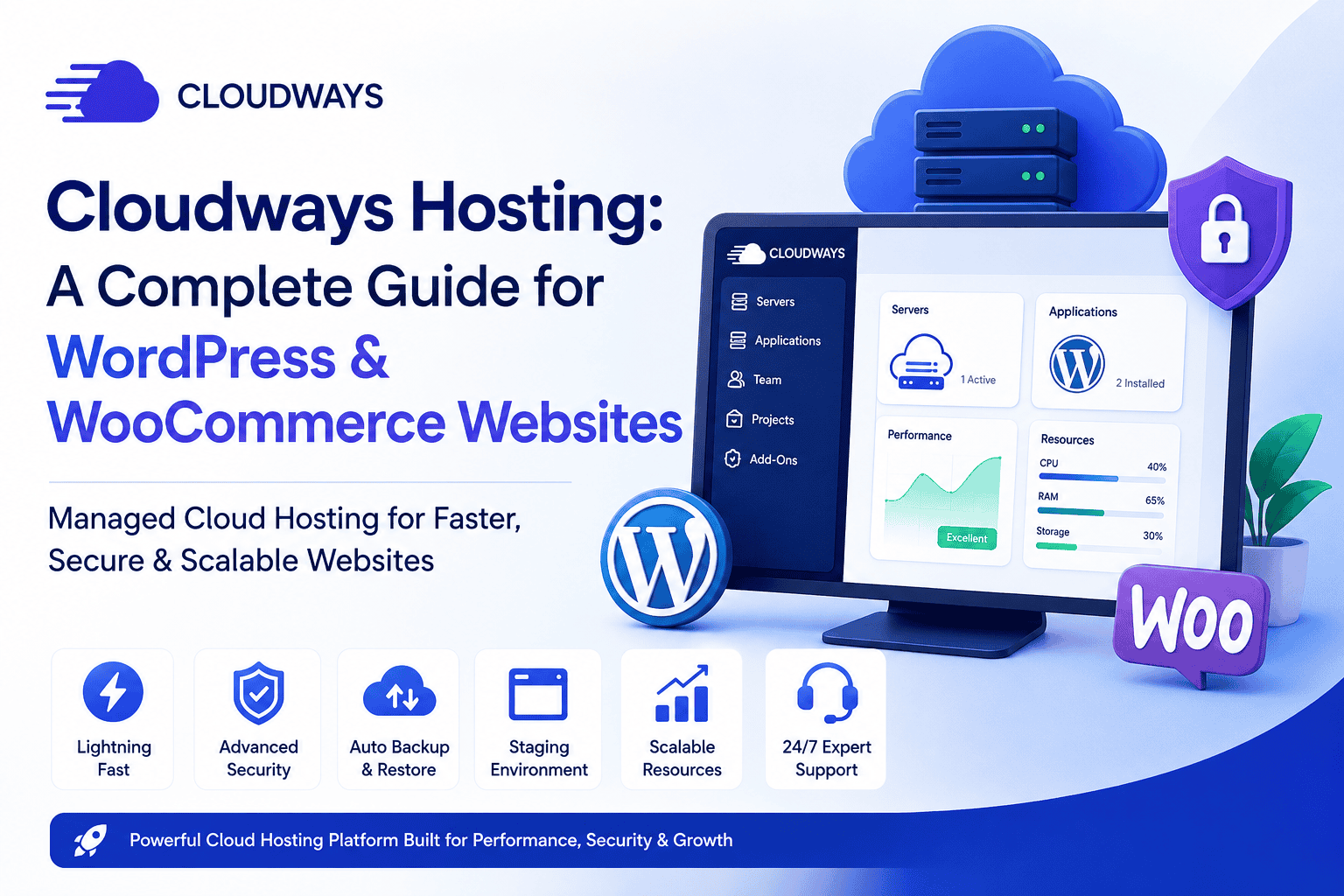
Cloudways Dashboard
Cloudways provides a simple dashboard where users can manage servers and applications.
From the Cloudways dashboard, you can manage:
Applications
Servers
Domains
SSL certificates
Backups
Staging sites
Cron jobs
Caching settings
PHP settings
Database access
Team members
Server monitoring
Security options
This helps website owners manage cloud hosting without using complicated server commands.
Website Performance and Speed
Website speed is very important for user experience, SEO, and conversions.
A slow website can increase bounce rate, reduce leads, affect checkout performance, and hurt search engine ranking.
Cloudways focuses heavily on performance. Its hosting stack includes optimized server technologies, caching options, CDN support, and server-level performance tools. Cloudways says its Lightning Stack can improve load times and help websites achieve better Core Web Vitals performance.
Website speed can help improve:
User experience
Search engine performance
Conversion rate
Mobile browsing
Checkout experience
Page loading time
Lead generation
For WordPress and WooCommerce websites, good hosting performance is very important because plugins, themes, images, scripts, and database queries can slow down the website if hosting is weak.
WooCommerce Hosting
Cloudways is also useful for WooCommerce websites.
WooCommerce stores need strong hosting because they handle product pages, cart pages, checkout pages, customer accounts, payments, order data, and traffic spikes.
Cloudways managed WooCommerce hosting is designed for online stores that need speed, stability, security, and scalability. Cloudways states that its managed WooCommerce hosting starts from $14/month, depending on the selected plan and provider.
Cloudways can be useful for stores selling:
Physical products
Digital products
Subscriptions
Memberships
Services
Bookings
Online courses
This makes Cloudways a good option for small and growing eCommerce websites that need better hosting than basic shared hosting.
Staging Environment
Cloudways provides staging features for websites.
A staging website is a test copy of your live website. It allows you to test changes before applying them to the main website.
Staging is useful when:
You want to update plugins
You want to change the theme
You want to test new design changes
You want to check custom code
You want to test WooCommerce checkout
You want to fix bugs safely
This helps website owners and developers avoid breaking the live website.
SSL Certificate Support
Website security is very important for every website.
Cloudways supports SSL certificates, which help secure the connection between your website and visitors.
An SSL certificate changes your website from HTTP to HTTPS.
HTTPS helps protect:
Login details
Contact form data
Payment information
Customer information
Checkout details
Account details
For business websites and eCommerce websites, SSL is very important for trust, security, and professional appearance.
Website Backup Features
Backups are very important for website safety.
If anything goes wrong with your website, a backup can help restore your website data.
Cloudways provides backup options that help protect website files, databases, and important content. Cloudways also promotes automated backup options with easy restore features on its managed hosting platform.
Backups are useful when:
A plugin breaks the website
A theme update causes an issue
Website files are deleted by mistake
The website is hacked
A developer mistake affects the website
You want to restore an older version
This gives website owners more confidence while managing their website.
Security Features
Security is one of the most important parts of website hosting.
Cloudways provides security tools that help protect websites from common hosting risks. These can include SSL, firewalls, server monitoring, automated backups, security patching, bot protection options, and Cloudflare-related security features depending on the plan and add-ons. Cloudways also lists DDoS protection and Web Application Firewall features through Cloudflare integration in its platform materials.
Security features help protect websites from:
Malware
Hacking attempts
Data loss
Spam activity
Unsafe plugins
Unauthorized access
Traffic attacks
A secure website helps protect both the business owner and website visitors.
Website Migration
Website migration means moving a website from one hosting provider to another.
Cloudways offers website migration options for users who want to move their existing website to Cloudways.
This is useful if your current hosting is slow, expensive, difficult to manage, or not suitable for your website traffic.
Migration can help move:
WordPress websites
WooCommerce stores
Business websites
Website files
Databases
Landing pages
Client websites
This helps users switch hosting without rebuilding the website from scratch.
Server Monitoring
Cloudways provides server monitoring tools.
Monitoring helps you check how your server is performing. This is important because server resources affect website speed and uptime.
With monitoring, users can check things like:
CPU usage
RAM usage
Storage usage
Traffic
Server load
Application performance
Resource usage
This is useful for developers, agencies, and business owners who want to understand how their website is performing.
Vertical Scaling
Cloudways allows users to scale server resources.
Scaling means increasing hosting resources when your website needs more power.
This is useful when:
Website traffic increases
WooCommerce orders grow
Marketing campaigns bring more visitors
The website becomes heavier
The business grows
You need better server performance
Cloudways describes one-click vertical scaling as a way to increase resources more easily compared with manual server management.
Cloudways for Small Businesses
Cloudways is a good choice for small businesses that need fast and reliable website hosting.
Small businesses can use Cloudways to create and manage:
Business websites
Service websites
Portfolio websites
Landing pages
Local business websites
Online stores
Booking websites
It helps businesses build a strong online presence with better speed, security, and scalability than many basic hosting options.
Cloudways for WordPress Developers
Cloudways can be very useful for WordPress developers and freelancers.
Developers can manage multiple client websites, install WordPress, create staging setups, manage backups, configure SSL, access databases, and monitor server performance from one dashboard.
It can help developers with:
Client websites
WordPress projects
WooCommerce stores
Landing pages
Website migrations
Testing websites
Performance optimization
Custom PHP projects
This makes Cloudways useful for freelancers and agencies handling multiple websites.
Cloudways for Agencies
Cloudways is also useful for agencies that manage many client websites.
Agencies often need hosting that is fast, secure, scalable, and easy to manage. Cloudways provides agency-focused hosting features for launching client websites, collaborating with teams, scaling projects, and managing multiple websites from one platform.
Agencies can use Cloudways for:
Client WordPress websites
WooCommerce stores
Landing pages
Website maintenance
Speed optimization projects
Staging and testing
Team collaboration
Multiple project management
This makes Cloudways a strong option for web design and development agencies.
Cloudways for Beginners
Cloudways can also be useful for beginners who want better hosting but do not want to manage servers manually.
Although Cloudways is more advanced than basic shared hosting, its dashboard makes cloud hosting easier to manage.
Beginners can use Cloudways to:
Install WordPress
Add a domain
Add SSL
Create backups
Use staging
Manage website files
Monitor performance
Improve website speed
This makes it easier for new users to use cloud hosting without learning advanced server management.
Explore Cloudways Features
Cloudways is useful because it provides managed cloud hosting, WordPress hosting, WooCommerce hosting, staging, backups, SSL, caching, monitoring, security, and scaling features from one platform.
It is especially helpful for users who want better performance than basic shared hosting but do not want to manage a cloud server manually.
Still Have Questions?
Cloudways is used for managed cloud hosting. It helps users host WordPress websites, WooCommerce stores, business websites, landing pages, PHP applications, and client websites with better performance, security, backups, and server management tools.
Yes, Cloudways is good for WordPress websites because it provides managed WordPress hosting, caching tools, SSL support, staging, backups, server monitoring, and performance-focused hosting features.
Yes, you can host a WooCommerce store on Cloudways. It is useful for online stores that need better speed, secure checkout, stable hosting, and scalable server resources.
Yes, Cloudways can be suitable for beginners who want managed cloud hosting without handling complex server management. However, it may feel slightly more advanced than basic shared hosting because it gives more server-level options.
Final Thoughts
Cloudways is a powerful managed cloud hosting platform that helps users create, host, and manage websites with better speed, security, and scalability.
It provides tools for WordPress hosting, WooCommerce hosting, SSL certificates, backups, staging websites, server monitoring, caching, security, website migration, and cloud server scaling.
If you want to launch a business website, blog, portfolio, landing page, WooCommerce store, or client website, Cloudways can be a smart choice for building a faster and more reliable online presence.
With the right hosting plan, website design, speed optimization, SEO setup, and security configuration, Cloudways can help your website perform better and support your business growth online.