Managing website design, page layouts, landing pages, and dynamic content can become difficult when you are limited by basic WordPress editing options. Businesses often need professional-looking pages, custom templates, responsive layouts, and conversion-focused sections without writing complex code.
This is where Elementor Pro becomes extremely useful.
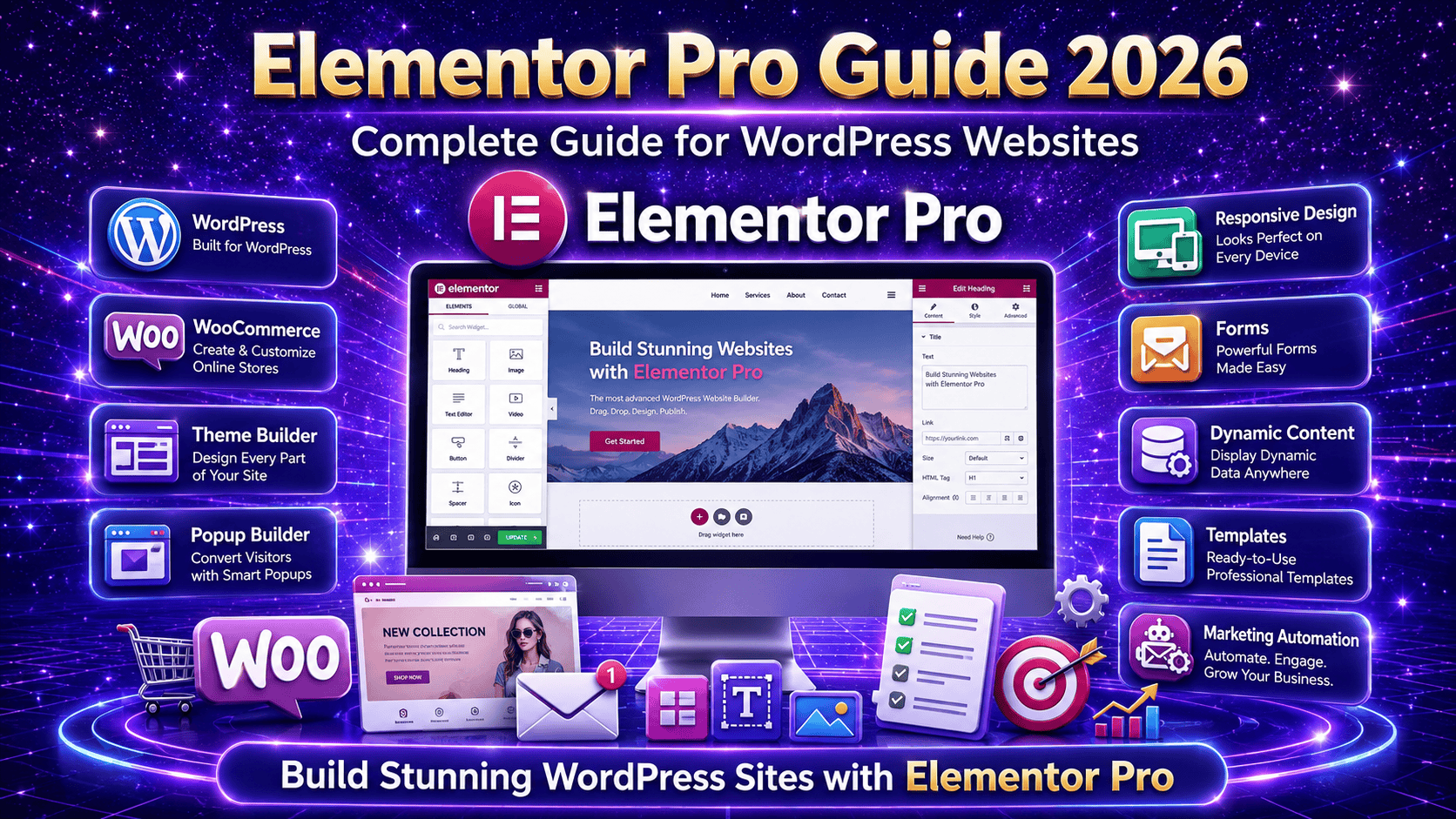
Elementor Pro is a powerful WordPress page builder plugin that helps website owners create custom pages, headers, footers, popups, landing pages, product pages, and full website layouts using a drag-and-drop editor.
Whether you run a business website, WooCommerce store, blog, portfolio, agency website, or service-based website, Elementor Pro can help you design professional pages quickly and easily.
What Is Elementor Pro?
Elementor Pro is the premium version of the Elementor page builder plugin for WordPress.
It gives you advanced design tools, professional widgets, theme-building features, popup options, WooCommerce customization, and dynamic content control.
With Elementor Pro, you can build almost every part of your website visually without needing to edit theme files.
It helps you create:
- Custom homepages
- Landing pages
- Service pages
- Blog layouts
- Product pages
- Headers and footers
- Popups
- Contact sections
- Call-to-action areas
This makes Elementor Pro a complete design solution for WordPress websites.
Why Elementor Pro Is Useful
Elementor Pro is useful because it gives you full control over your website design.
Instead of depending only on your WordPress theme, you can design your own layouts and customize each section according to your brand.
It helps you:
- Save development time
- Create professional designs
- Improve website appearance
- Build responsive layouts
- Customize WooCommerce pages
- Add advanced widgets
- Create reusable templates
- Design without coding
This makes it a great choice for business owners, marketers, designers, and developers.
Drag-and-Drop Page Builder
One of the biggest benefits of Elementor Pro is its drag-and-drop editor.
You can add sections, columns, images, buttons, forms, headings, icons, and other elements directly on the page.
You can also adjust spacing, colors, fonts, backgrounds, borders, and animations visually.
This makes the design process simple and fast.
You can see changes in real time while editing, which helps you create pages more accurately.
Advanced Design Widgets
Elementor Pro includes many advanced widgets that are not available in the free version.
Some useful widgets include:
- Forms
- Slides
- Posts
- Portfolio
- Price Table
- Price List
- Call to Action
- Countdown
- Login Form
- Nav Menu
- Media Carousel
- Reviews
- Testimonials
- Table of Contents
These widgets help you build modern and conversion-focused website sections without installing many extra plugins.
Theme Builder Features
Elementor Pro allows you to design your complete WordPress theme layout using Theme Builder.
You can create custom templates for:
- Header
- Footer
- Single post
- Blog archive
- Product page
- Shop archive
- Search results page
- 404 page
This gives you complete control over the look and structure of your website.
For example, you can design a custom blog post layout and apply it automatically to all blog posts.
WooCommerce Customization
Elementor Pro is very helpful for WooCommerce websites.
It allows you to customize important store pages without touching code.
You can design:
- Single product pages
- Shop archive pages
- Product grids
- Add to cart sections
- Product images
- Product price layout
- Product tabs
- Related products section
This helps create a better shopping experience and makes your online store look more professional.
Popup Builder
Elementor Pro includes a powerful popup builder.
You can create different types of popups for marketing, lead generation, announcements, and offers.
Common popup types include:
- Newsletter signup popup
- Exit-intent popup
- Discount offer popup
- Contact form popup
- Login popup
- Announcement popup
You can also control where and when the popup appears.
For example, you can show a popup only on specific pages or after a visitor scrolls a certain amount.
Form Builder
Elementor Pro comes with a built-in form widget.
You can create contact forms, inquiry forms, lead forms, booking forms, and newsletter forms.
The form widget supports fields like:
- Name
- Phone
- Message
- Dropdown
- Checkbox
- Radio button
- File upload
- Hidden field
You can also connect forms with email marketing tools, CRM platforms, and webhook integrations.
This makes it useful for lead generation and customer communication.
Responsive Design Control
Elementor Pro gives you strong responsive design controls.
You can customize your website layout for desktop, tablet, and mobile devices.
You can adjust:
- Font size
- Spacing
- Column width
- Section order
- Image size
- Visibility settings
This helps your website look clean and professional on all screen sizes.
A mobile-friendly design is very important because many visitors browse websites from mobile phones.
Dynamic Content Support
Elementor Pro supports dynamic content, which is useful for websites using custom fields or custom post types.
You can display dynamic data from tools like Advanced Custom Fields, JetEngine, Pods, and Toolset.
This is useful for:
- Real estate websites
- Directory websites
- Course websites
- Portfolio websites
- Job listing websites
- Product catalog websites
Dynamic content helps you create templates once and use them across multiple pages or posts.
Reusable Templates
Elementor Pro allows you to save sections, pages, and templates for future use.
This saves time when building similar pages.
For example, you can create one call-to-action section and use it on multiple service pages.
Reusable templates help maintain design consistency across the website.
Global Widgets and Global Styles
With Elementor Pro, you can create global widgets and manage global design settings.
If you update a global widget, the change appears everywhere that widget is used.
This is useful for:
- CTA sections
- Contact blocks
- Pricing cards
- Promotional banners
- Testimonial sections
Global styles also help keep your website fonts, colors, and buttons consistent.
Elementor Pro for Business Websites
Elementor Pro is a strong choice for business websites because it helps create professional pages that support conversions.
You can build:
- Homepage
- About page
- Service pages
- Contact page
- Landing pages
- Portfolio section
- Testimonials section
Pricing section
A well-designed Elementor Pro website can help businesses present their services clearly and generate more leads.
Elementor Pro for Landing Pages
Elementor Pro is also useful for creating landing pages for ads, campaigns, and promotions.
You can design focused pages with:
- Strong headlines
- Clear call-to-action
- buttons
- Lead forms
- Countdown timers
- Testimonials
- Pricing sections
- FAQ sections
Landing pages built with Elementor Pro can help improve campaign results and customer inquiries.
Final Thoughts
Elementor Pro is a powerful WordPress design plugin that helps you create professional, responsive, and conversion-focused websites without advanced coding.
It gives you tools for page building, theme design, WooCommerce customization, popups, forms, dynamic content, and reusable templates.
If you want more control over your WordPress website design, Elementor Pro is a smart choice for building modern pages, improving user experience, and creating a stronger online presence.