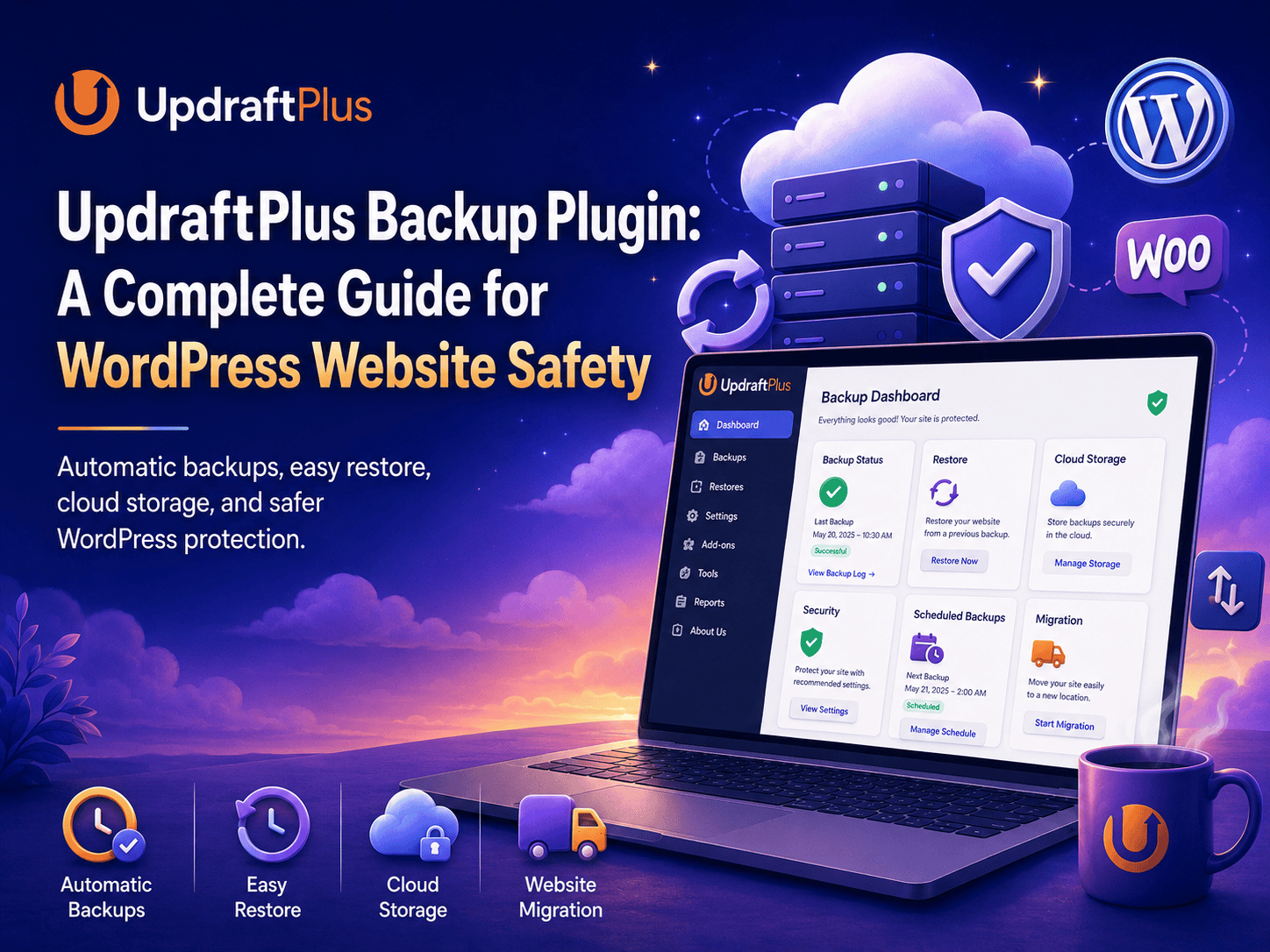
Managing a WordPress website without a proper backup system can be risky. A small plugin issue, theme update error, server problem, malware attack, or accidental deletion can affect the whole website.
This is where UpdraftPlus becomes very useful.
UpdraftPlus is a WordPress backup and restore plugin that helps website owners create, store, and restore website backups easily. It is useful for business websites, blogs, WooCommerce stores, portfolio websites, and service websites.
What Is UpdraftPlus?
UpdraftPlus is a WordPress backup plugin used to create safe copies of your website files and database.
It helps you back up important website data such as:
Website files
WordPress database
Themes
Plugins
Media uploads
Pages and posts
WooCommerce store data
Website settings
With UpdraftPlus, you can restore your website if something goes wrong.
Why UpdraftPlus Is Useful
UpdraftPlus is useful because it helps protect your website from data loss.
Without a backup, it can be difficult to recover your website after an error, crash, or hacking issue.
It helps you:
Create website backups
Restore website data
Schedule automatic backups
Store backups in cloud storage
Protect website files
Recover from update problems
Move websites to another server
Reduce risk of data loss
This makes UpdraftPlus a helpful plugin for every WordPress website owner.
Easy Website Backup
One of the main benefits of UpdraftPlus is that it makes website backup simple.
You do not need advanced technical knowledge to use it.
From the WordPress dashboard, you can choose what you want to back up and start the backup process.
You can back up:
Database
Plugins
Themes
Uploads
Other website files
This makes website maintenance safer and easier.
Automatic Backup Scheduling
UpdraftPlus allows you to schedule automatic backups.
This means you do not need to manually create backups every time.
You can set backup schedules based on your website needs.
For example, you can create backups:
Daily
Weekly
Monthly
Before important updates
Based on website activity
For WooCommerce stores or active websites, regular backups are very important because new orders, products, customers, and content are added often.
Remote Storage Support
UpdraftPlus allows you to store backups in remote storage locations.
This is safer than keeping backups only on the website server.
If your server has a problem, your remote backup can still help you restore the website.
Common remote storage options include:
Google Drive
Dropbox
Amazon S3
FTP
Rackspace Cloud
Email
Remote storage makes backups safer and easier to access when needed.
Easy Website Restore
UpdraftPlus also makes website restoration simple.
If your website breaks after an update, plugin conflict, or server issue, you can restore a previous backup.
A restore option can help recover:
Website design
Pages
Posts
Plugins
Themes
Media files
Database content
This saves time and helps reduce website downtime.
Backup Before Website Updates
Website updates are important, but sometimes plugin, theme, or WordPress core updates can create issues.
Before making major updates, it is always better to create a fresh backup.
You should take a backup before updating:
WordPress core
Themes
Plugins
WooCommerce
Page builders
Security plugins
If something goes wrong after the update, you can restore the backup and recover the website.
Helpful for WooCommerce Stores
UpdraftPlus is very useful for WooCommerce websites because online stores have important data.
A WooCommerce store may include:
Customer orders
Product details
Payment records
Shipping details
Customer accounts
Coupons
Inventory data
Losing this data can affect sales and customer trust.
Regular backups help protect WooCommerce store information and make recovery easier.
Website Migration Support
UpdraftPlus can also help with website migration.
Website migration means moving a website from one server, domain, or hosting account to another.
This is useful when:
Changing hosting provider
Moving from staging to live website
Moving from old domain to new domain
Creating a copy of a website
Transferring client websites
This makes UpdraftPlus useful for both website owners and developers.
Why Website Backups Are Important
Website backups are important because websites can face unexpected problems at any time.
Common website issues include:
Plugin conflicts
Theme errors
Failed updates
Server crashes
Malware attacks
Accidental deletion
Database errors
Hacking attempts
Hosting problems
A backup gives you a safe recovery option when something goes wrong.
UpdraftPlus for Small Businesses
UpdraftPlus is a good choice for small business websites because it is simple, flexible, and easy to manage.
Small businesses often do not have a full technical team, so a backup plugin helps protect the website without complicated setup.
It is useful for:
Local business websites
Service websites
Online stores
Portfolio websites
Blog websites
Agency websites
Booking websites
A proper backup system helps businesses avoid long downtime and data loss.
UpdraftPlus for Developers
UpdraftPlus is also useful for WordPress developers.
Developers can use it before making changes to a website.
It helps when working on:
Plugin updates
Theme changes
Custom code
Website migration
Staging setup
WooCommerce changes
Client website maintenance
Taking a backup before development work is a safe and professional practice.
Best Practices for Using UpdraftPlus
To get the best results from UpdraftPlus, it is important to use it properly.
Good backup practices include:
Create backups before major updates
Use remote cloud storage
Schedule regular backups
Do not store backups only on the same server
Test restore process when possible
Keep the plugin updated
Download important backups when needed
Use strong security on cloud storage accounts
A backup is only useful if it is complete, safe, and available when needed.
site.
Still Have Questions?
UpdraftPlus is used to back up, restore, and migrate WordPress websites. It helps protect website files, database content, themes, plugins, uploads, and other important data.
Yes, UpdraftPlus has a free version available for WordPress. It also has a premium version with advanced features for website backup, migration, and storage management.
Yes, UpdraftPlus can be used for WooCommerce websites. It helps protect product data, order details, customer information, media files, and website settings.
It is better to store backups in remote cloud storage instead of keeping them only on the same server. If the server fails, remote backups can still help restore the website.
Final Thoughts
UpdraftPlus is a useful WordPress backup and restore plugin for protecting website data.
It helps website owners create backups, schedule automatic backups, store files in remote storage, restore websites, and move websites when needed.
For business websites, WooCommerce stores, blogs, and client projects, UpdraftPlus can reduce the risk of data loss and make website recovery much easier.
With proper backup scheduling, cloud storage, and regular maintenance, UpdraftPlus can help keep your WordPress website safer and more reliable.
restore the web