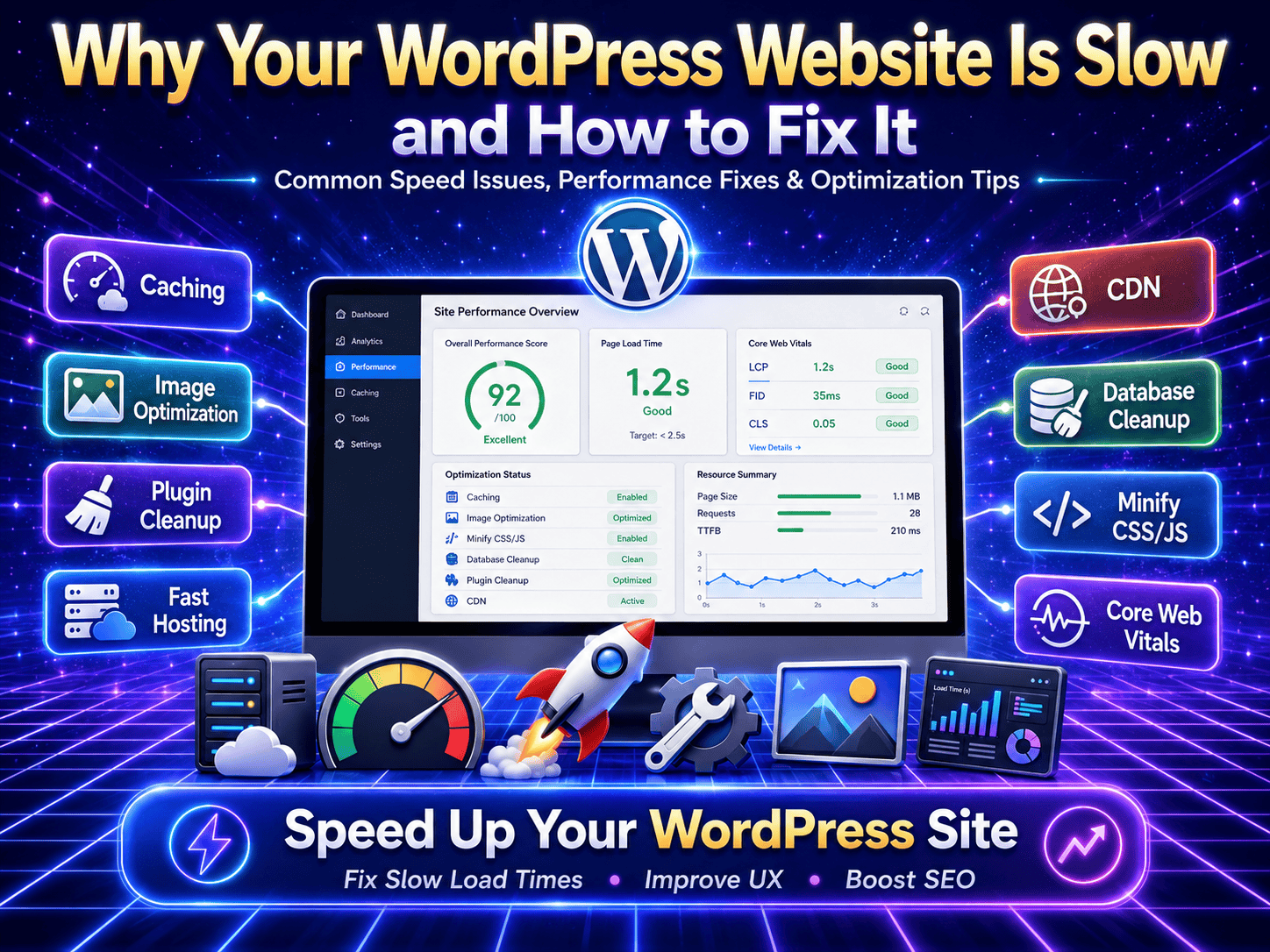
A slow WordPress website can hurt your business more than you think. Visitors do not like waiting for pages to load, and Google also prefers fast websites. If your website takes too long to open, users may leave before checking your services, products, or contact form.
In this guide, we’ll cover the main reasons your WordPress website is slow and how to fix them.
🔥 1. Heavy Images
👉 One of the biggest reasons for slow websites
Large images can make your website load slowly, especially on mobile devices. Many WordPress websites use high-size images without compression.
✔ Compress images before uploading
✔ Use WebP format
✔ Resize images according to section size
✔ Lazy load below-the-fold images
A properly optimized image can improve your website speed without affecting visual quality.
⚙️ 2. Too Many Plugins
👉 Common issue in WordPress websites
Plugins add features to your website, but too many plugins can make your site heavy. Some plugins load extra CSS, JavaScript, and database queries.
✔ Remove unused plugins
✔ Avoid duplicate-function plugins
✔ Use lightweight plugins
✔ Keep only necessary plugins
A clean plugin setup helps your website load faster and reduces technical issues.
🎨 3. Heavy Theme or Page Builder
👉 A major reason for slow loading
Some WordPress themes and page builders come with many extra design features that may not be needed. These extra files can slow down your site.
✔ Use a lightweight theme
✔ Remove unused widgets
✔ Avoid unnecessary animations
✔ Keep page layouts clean
A well-built design should look good and load fast at the same time.
📦 4. No Caching Setup
👉 Caching helps your website load faster
Without caching, WordPress has to generate pages again and again for every visitor. This can slow down your website.
✔ Use a good caching plugin
✔ Enable browser caching
✔ Enable page caching
✔ Use server-level caching if available
Caching stores a ready version of your website pages, so they open faster for users.
🧩 5. Unoptimized CSS and JavaScript
👉 Extra code can increase loading time
Many themes and plugins load CSS and JavaScript files on every page, even when they are not needed. This increases page size and affects speed.
✔ Minify CSS and JS files
✔ Remove unused CSS
✔ Delay non-critical JavaScript
✔ Load scripts only where needed
Optimizing code helps reduce load time and improves Core Web Vitals.
🌐 6. Poor Hosting
👉 Hosting affects website performance directly
Even if your website is optimized, poor hosting can still make it slow. Low-quality hosting may have limited resources, slow servers, or poor caching support.
✔ Choose reliable WordPress hosting
✔ Use hosting with good server response time
✔ Avoid overloaded shared hosting
✔ Upgrade hosting when traffic increases
Good hosting gives your website a strong performance base.
📱 7. Not Optimized for Mobile
👉 Most users visit websites from mobile
A website may look fine on desktop but still be slow on mobile. Heavy sections, large images, sliders, videos, and animations can affect mobile speed badly.
✔ Use mobile-friendly layouts
✔ Reduce large sections on mobile
✔ Avoid heavy sliders
✔ Optimize images separately for mobile
Mobile speed is very important for user experience and SEO.
🎬 8. Too Many Videos or External Scripts
👉 Third-party scripts can slow your website
YouTube videos, chat widgets, tracking scripts, ads, fonts, and social media embeds can increase loading time.
✔ Lazy load videos
✔ Delay chat widgets
✔ Use fewer tracking scripts
✔ Load external scripts only when required
External scripts should be controlled carefully because they can affect performance even if your website code is clean.
🛒 9. WooCommerce or eCommerce Load
👉 Online stores need extra optimization
WooCommerce websites often load more scripts, cart fragments, product filters, and dynamic features. This can make the website slower if not optimized properly.
✔ Optimize product images
✔ Disable unnecessary cart fragments
✔ Use fast hosting
✔ Clean database regularly
✔ Optimize checkout and product pages
A fast eCommerce website gives users a better shopping experience and can improve sales.
🗄️ 10. Database Is Not Clean
👉 Old data can slow WordPress backend and frontend
Over time, WordPress stores revisions, spam comments, expired transients, old plugin data, and unnecessary database entries. This can affect performance.
✔ Clean post revisions
✔ Remove spam comments
✔ Delete unused plugin data
✔ Optimize database tables
✔ Schedule regular cleanup
A clean database helps WordPress work faster and more smoothly.
Still Have Questions?
Your WordPress website may be slow because of large images, too many plugins, poor hosting, heavy themes, unoptimized code, or no caching setup.
You can improve speed by compressing images, using caching, removing unused plugins, optimizing CSS/JS, upgrading hosting, and cleaning the database.
Yes, website speed affects SEO because Google considers page experience and Core Web Vitals important for ranking and user experience.
Your mobile website may be slow due to large images, heavy sections, sliders, videos, animations, and external scripts.
Final Thoughts
A slow WordPress website can reduce traffic, leads, sales, and user trust. Most speed issues happen because of heavy images, too many plugins, poor hosting, unoptimized code, and lack of proper caching.
The good news is that WordPress speed can be improved with the right optimization steps. By cleaning your website, optimizing images, improving hosting, reducing extra scripts, and setting up caching correctly, your website can load faster and perform better.
A fast website gives visitors a better experience and helps your business look more professional online.
At Trend Web Technologies, we help businesses improve WordPress website speed, performance, and Core Web Vitals.
Our services include:
WordPress speed optimization
Core Web Vitals improvement
Image optimization
CSS and JavaScript optimization
Plugin and theme cleanup
WooCommerce speed optimization
Website maintenance and support
Technical SEO improvements
If your WordPress website is slow, our team can audit, optimize, and improve it for better speed and performance.